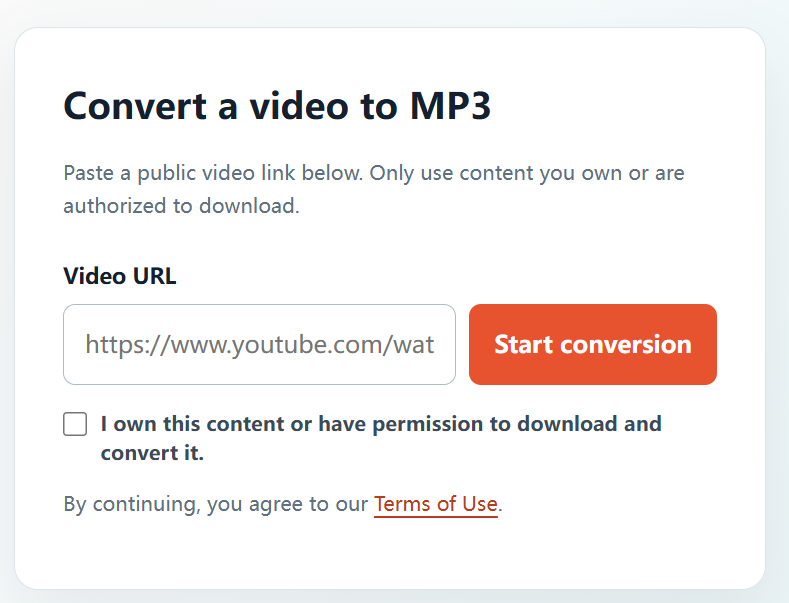
Converting a video to MP3 can be useful for your own recordings, licensed media, public-domain material, or content where the creator has given you permission. The key is not the format: it is whether you have the rights needed to make and keep the audio copy.
When is it okay to convert YouTube to MP3?
You should only convert a video when you have a clear legal basis to do so. In practice, that generally means one of the following applies:
- You created and uploaded the video yourself.
- The copyright owner has directly given you permission to download and convert it.
- The video is published under a licence that permits downloading or reuse, and you follow that licence.
- The material is in the public domain or you otherwise have the necessary rights.
A public link does not automatically mean that a video is free to copy. If you are unsure, ask the creator or rights holder before downloading anything.
How to use YTBMP3.NET responsibly
- Confirm your rights. Make sure the video is yours, licensed for this use, or that you have the creator’s permission.
- Copy the public video URL. Use the link for the video you are authorized to convert.
- Paste it into the converter. Go to the YTBMP3.NET homepage and paste the URL into the Video URL field.
- Tick the permission confirmation. This confirms that you own the content or have permission to download and convert it.
- Start the conversion and download your MP3. Keep the page open while the audio file is prepared, especially for longer videos.
Good habits for creators and teams
If you regularly work with video audio, a few simple practices can make rights management easier:
- Keep written permission, licence details, or project records for the media you use.
- Credit creators whenever the relevant licence requires attribution.
- Use the original source file when you have it; it is often the best-quality option.
- Do not use the service to bypass access controls, download private content, or copy material you are not allowed to use.
Why use YTBMP3.NET?
YTBMP3.NET is designed around a straightforward, permission-first workflow. The converter is available immediately on the homepage, works on desktop and mobile browsers, and clearly asks users to confirm their right to convert the content before a request starts.
That keeps the process simple: paste an authorized public video link, confirm your permission, and download the resulting MP3 when it is ready.
Frequently asked questions
Can I convert any public YouTube video?
No. A video being public does not by itself give you permission to download or convert it. Use the tool only for videos you own or are authorized to use.
Can I convert my own YouTube upload to MP3?
Yes. If you own the upload and the underlying audio and video rights, converting your own content is an appropriate use of the tool.
What should I do if I am not sure about permission?
Do not convert the video until you have checked with the creator, copyright owner, or a qualified legal adviser where needed.